 Barely
The memory friendly container manager for Docker
Barely puts idle containers to sleep and wakes them in milliseconds. RAM and other resources return to macOS while not in use.
The trial needs no account, email or credit card.
Where your RAM goes
Docker on a Mac runs inside a Linux VM. Every running container uses RAM in the VM, including the ones you aren't working on. A stopped container's RAM stays with the VM instead of going back to macOS. The only way to give the VM's RAM back to macOS is to quit docker and start every container again.
Barely puts idle containers to sleep
When containers serve no traffic, write no logs and use no CPU, Barely pauses them and gives their RAM back to macOS. The next request wakes them in milliseconds, with every process where it was.
- Wakes on a request to its port, a docker command or a file saved in its folder.
- Processes resume where they were. Nothing restarts.
- Open connections stay open while it sleeps.
- Containers with scheduled work, like cron or a systemd timer, stay awake.
- A Keep awake switch on every container, or on a whole docker compose stack, for containers you don't want to sleep.
- RAM a running container frees goes back to macOS.
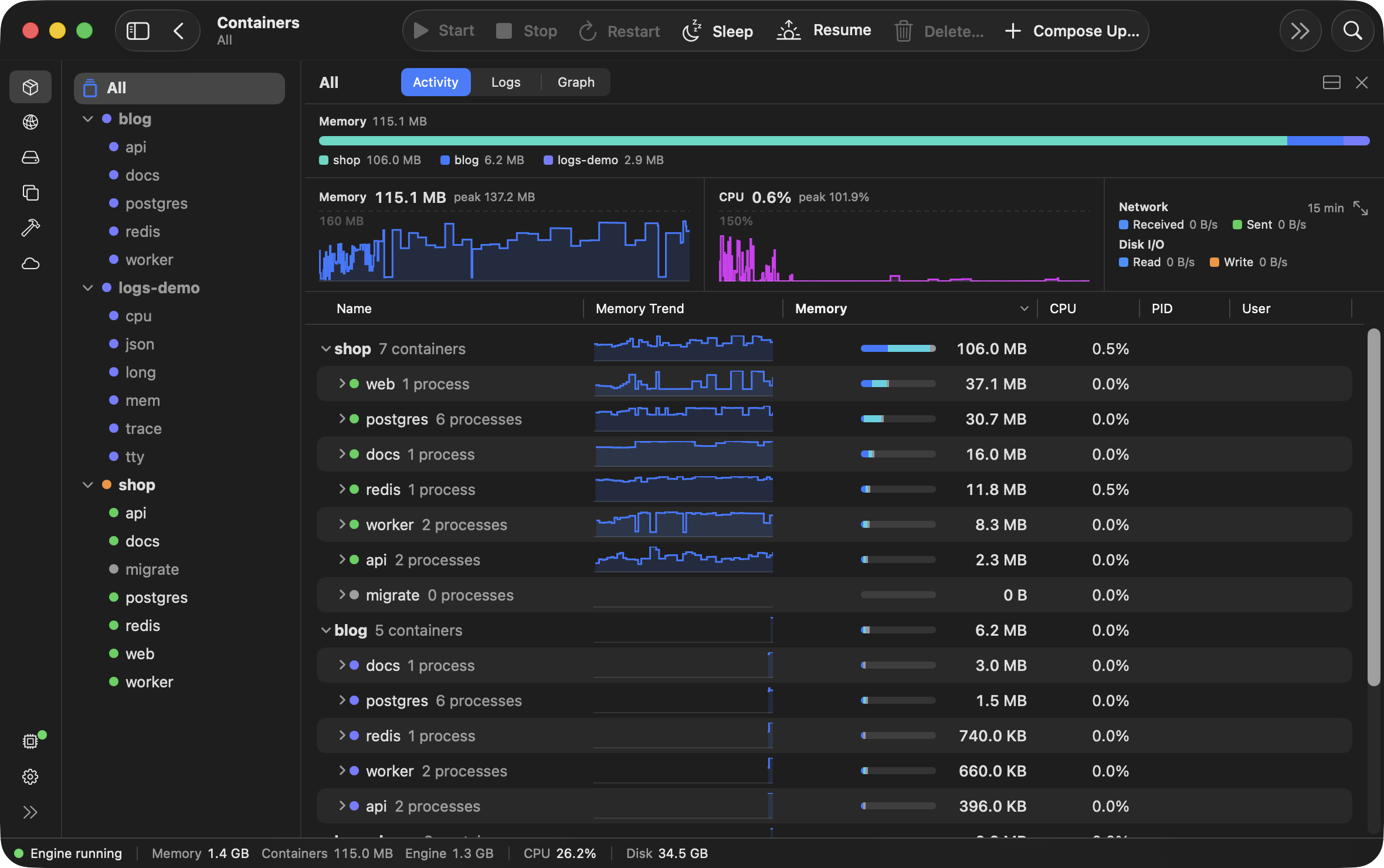
Two docker compose stacks asleep, one at work. Only the containers at work are holding memory.
Barely's VM hibernates when all containers are asleep
Once all containers are asleep, the VM saves its memory to disk and exits. Barely scales all the way to zero: no VM, no RAM, no CPU.
- The next docker command brings the VM back in about a quarter of a second.
- Containers resume as they were. Nothing restarts.
The VM's storage disk shrinks when you delete things
The VM's storage disk holds your images, containers, volumes and build cache, and uses only as much of your Mac's disk space as they need. Deleting any of them gives the disk space back to macOS.
- The storage disk can grow to 100 GB by default, but on your Mac it uses only the space its contents need.
- Deleting an image, container or volume frees its space on your Mac.
- Clearing the build cache frees its space on your Mac.
Measured on a MacBook Air
On a MacBook Air with 16 GB of RAM, a request to a sleeping container's port was answered in 10 to 60 milliseconds, waking the container on the way. A docker exec into a sleeping container took under a tenth of a second. After the VM hibernated, the next docker command was answered in about a quarter of a second.
On a 16 GB Mac, a build took the VM to 7.0 GB. Within 30 seconds of the build ending, the VM was back to 2.4 GB, what the running stack needed.
Through five hibernates in a row under load, all 2,735 requests were answered. A 256 MB file held in memory came back byte for byte after a hibernate.
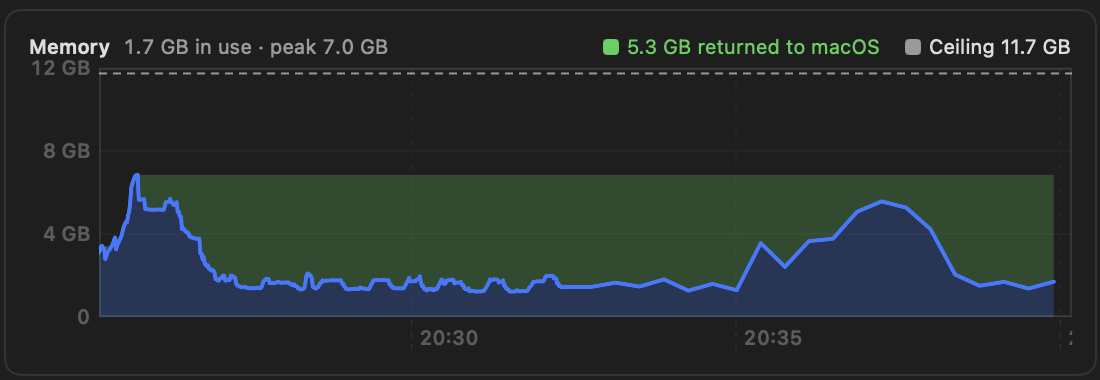
The VM's memory around a build. Up while it ran, back down after. The green band is what went back to macOS.
Still the standard Docker engine
Inside the VM is the standard Docker engine. Your compose files, docker commands and scripts run as they are.
- Published ports are on localhost.
- Saving a file on your Mac fires the watcher in the container, so hot reload works.
- arm64 images only, no Rosetta. An image built only for Intel and AMD (amd64) won't run.
What the app shows
The app shows what every container is using and what it is logging.
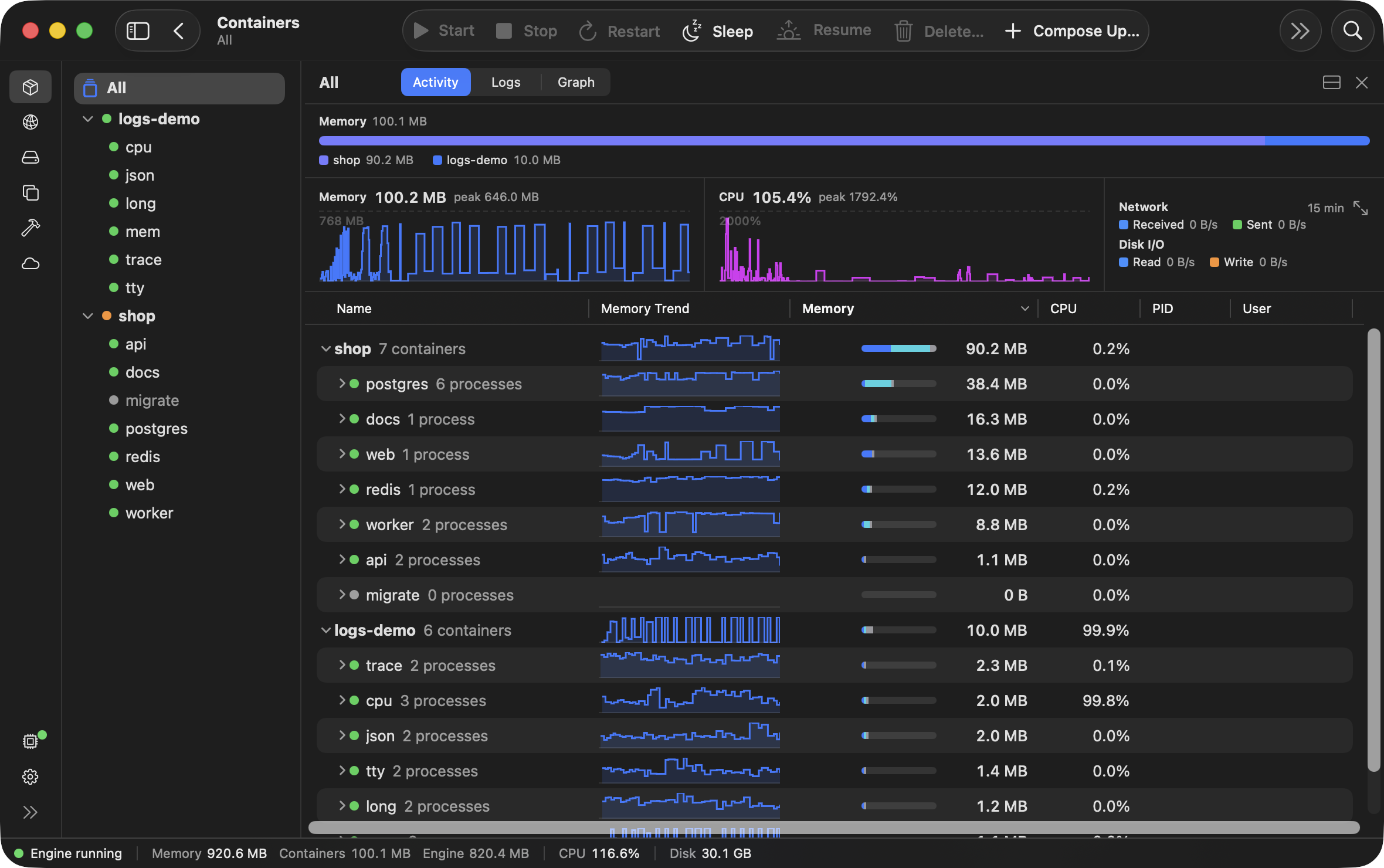
Activity. Memory and CPU for every docker compose stack, container and process, with a trend for each.
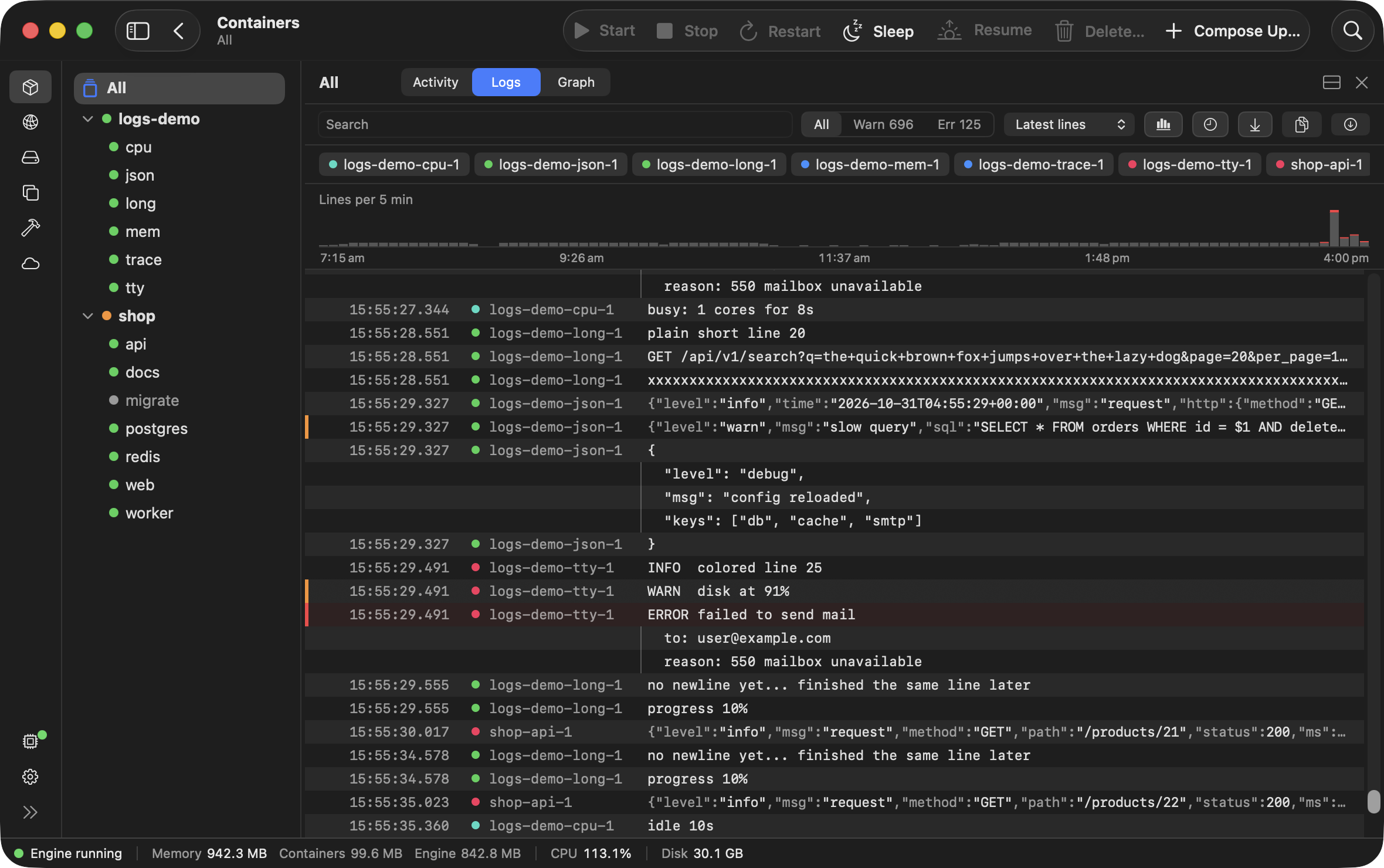
Logs. Every container's logs in one view, under a chart of log volume over time. Drag across the chart to pick a moment, scroll to zoom in, and search with words or a regex.
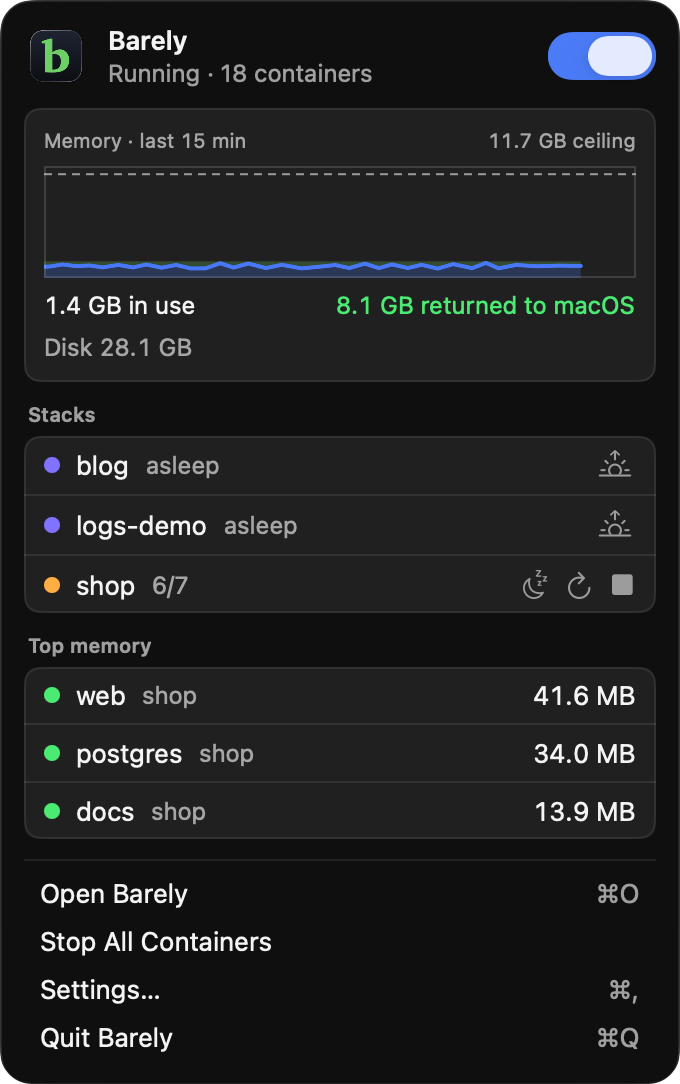
Menu bar. The VM's memory, each docker compose stack's state and the containers using the most, without opening the app.
Questions
Can I run Barely alongside what I run docker with now?
Yes and no. Barely runs its own Linux VM, whose memory grows and shrinks with use, and setup adds it as a separate docker context called barely and makes that context the current one. Your docker commands then go to Barely with nothing else to change. What you run docker with now keeps its own VM and its own context, so both can be installed and run side by side, but there is little reason to run both at once.
Barely puts idle containers to sleep. What if one has to keep running while I'm away?
Switch on Keep awake for that container in the app, and Barely never puts it to sleep.
When a container goes to sleep, what happens to its open connections?
They stay open, and the next bytes sent on one wake the container. When every container is asleep and the VM hibernates, streams like docker logs -f end and need starting again.
What does $99 get me?
The app, the VM and the barely command, under one licence, on each of your Macs. You pay once. Refund within 30 days.
Install it and try it for 30 days
The trial needs no account, email or credit card.
brew install barelyvm/tap/barely
barely setup
docker compose up   # like normal
- Setup asks before each change it makes, then starts your trial in your browser.
- Needs an Apple Silicon Mac with macOS 14 or later, plus Homebrew and the docker command.